How to Match Code the Wireless Camera to connect with NVR?
- Please put the camera next to the NVR, and connected the camera to the power supply
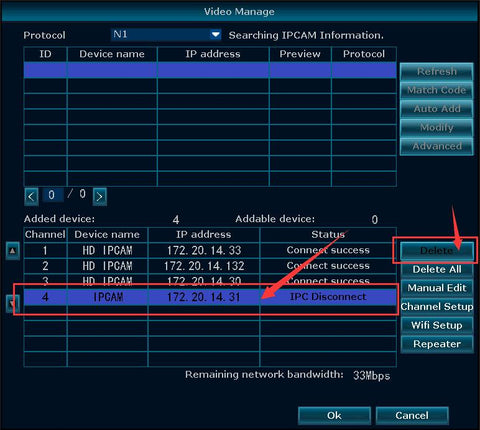
- Please go to “Video Manage” and delete the “IP disconnected” camera from below.
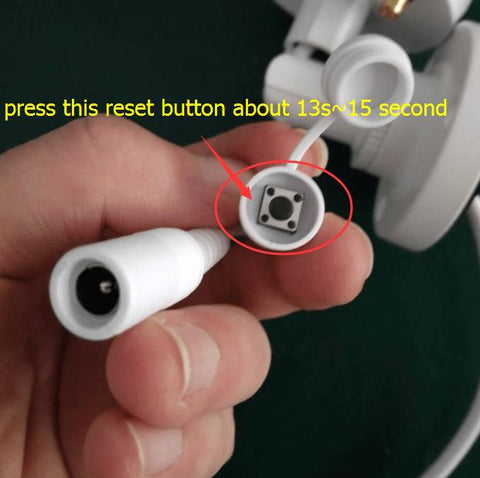
- Press the camera’s reset button for 13-15 seconds (the button next to the camera’s power cord) and then wait about 1 minutes. The camera automatically restarts.
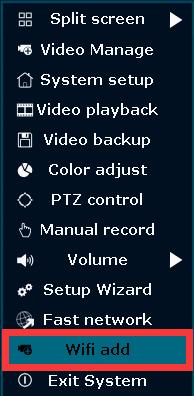
- Right click–and then click “Wifi add” to Match Code the camera
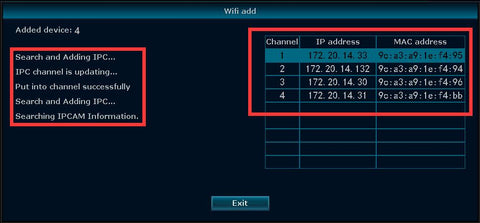
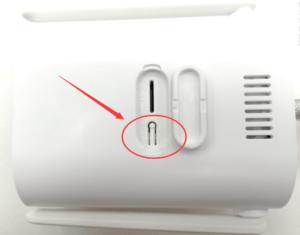
- Press the reset button 3s again, it will automatically search and add cameras
- A few seconds later the picture will be shown on the screen
- Click “Exit” after all cameras are connected
Hai ancora bisogno di aiuto?
Siamo felici di assisterti ogni volta che ne hai bisogno.